
By GoldstoneTech · Published 21 November 2026 · Last reviewed 21 November 2026
How to put a rental application packet into one PDF
A worked example of merging a cover letter, application form, and scanned payslips into one PDF in the right order, then shrinking it, without uploading your documents.
How to combine application documents into one PDF
Check what the landlord or agent asks for
Requirements differ. Look at which documents they want, in what order, and whether they accept one PDF or separate files. Follow their instructions rather than a general template.
Gather each document as its own PDF
Save the cover letter and form as PDFs. For paper documents such as payslips, turn photos or scans into a PDF first. Name the files with numbers so the order is obvious, for example 1-Cover-letter.pdf.
Add them to Merge PDF and set the order
Drop all the files in. The list shows them in the order you added them, so use Earlier and Later until the order matches what was asked for.
Merge, then check the page count and order
Download the merged file and scroll through it. The page count should equal the sum of the parts.
Compress only if you need to
If the portal or email rejects the size, compress the merged file and compare the sizes shown before you send it.
The example: a sample rental packet
This walkthrough uses three invented documents for a made-up applicant: a one-page cover letter, a two-page application form, and a two-page scanned payslip. None of it is a real person’s document. The payslips are a synthetic image-heavy test file, so real scans will give different sizes. The steps and screenshots are from running it on the live site on 21 November 2026.
The files were added in the wrong order on purpose, with the payslips first, to show the most common mistake. Files are joined in the order the list shows.
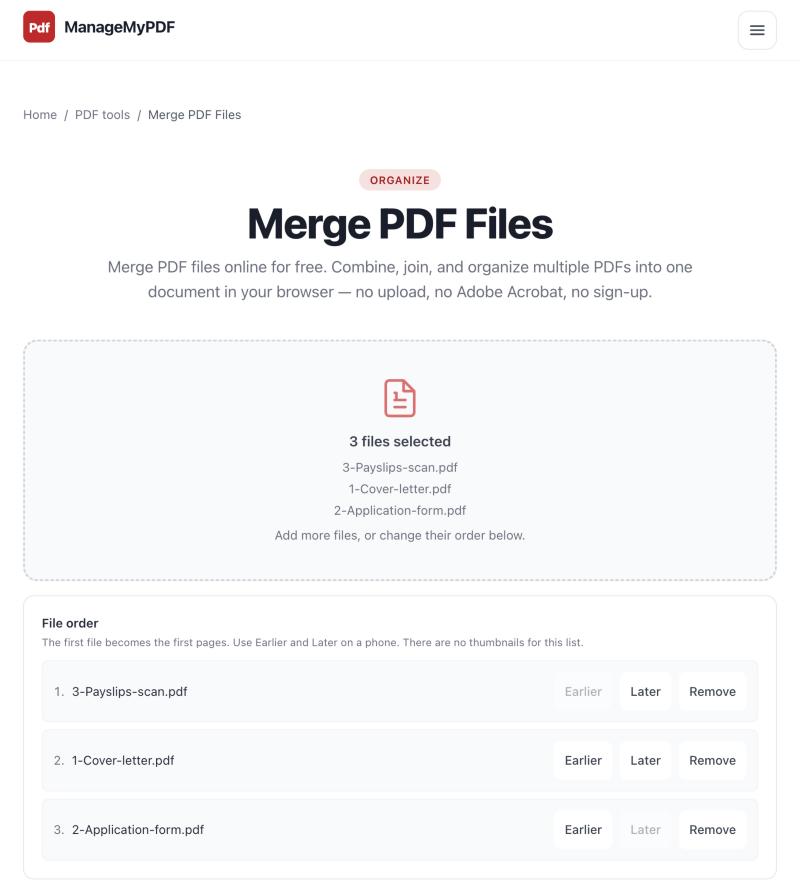
Fix the order, then merge
Pressing Later on the payslips twice moved them to the end. The list now reads cover letter, application form, payslips. Merging produced one 1.6 MB PDF of five pages, and nothing was uploaded: the page made no request carrying the documents.
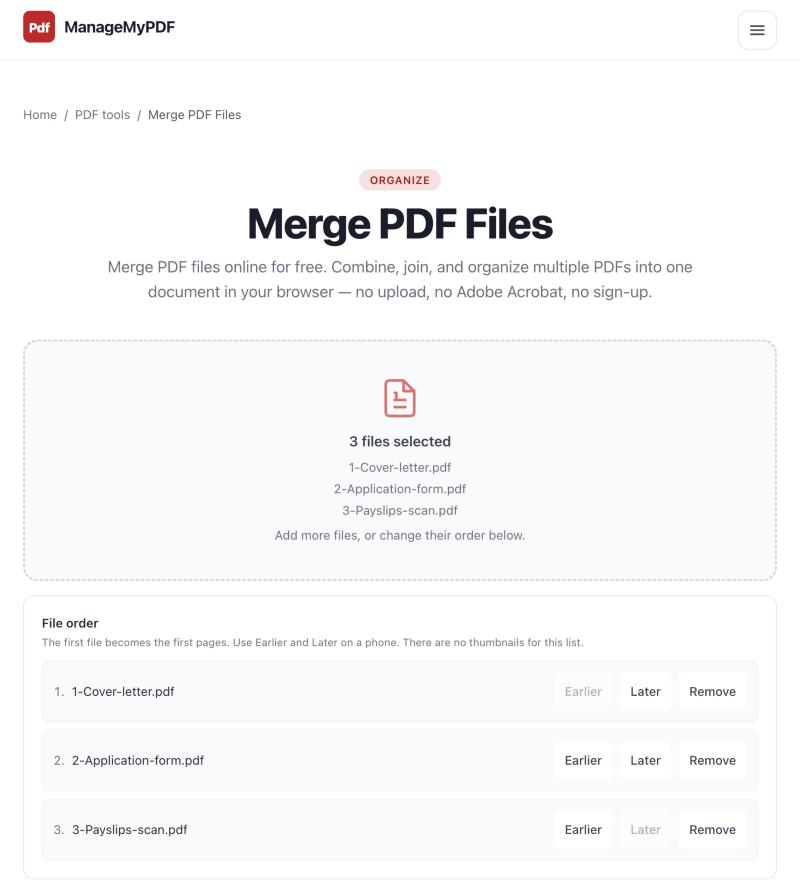
If the file is too large
The merged packet was 1.6 MB, which is fine for many portals but too big for some. Compressing it at Medium gave a 361 KB file, 78% smaller in this test. The result row shows the original and new sizes side by side, so you can see what you are about to send.
One trade-off: Medium redraws every page as an image, so the typed cover letter and form lose their selectable text. If that matters, compress only the scanned file first and merge it with the typed pages afterwards.
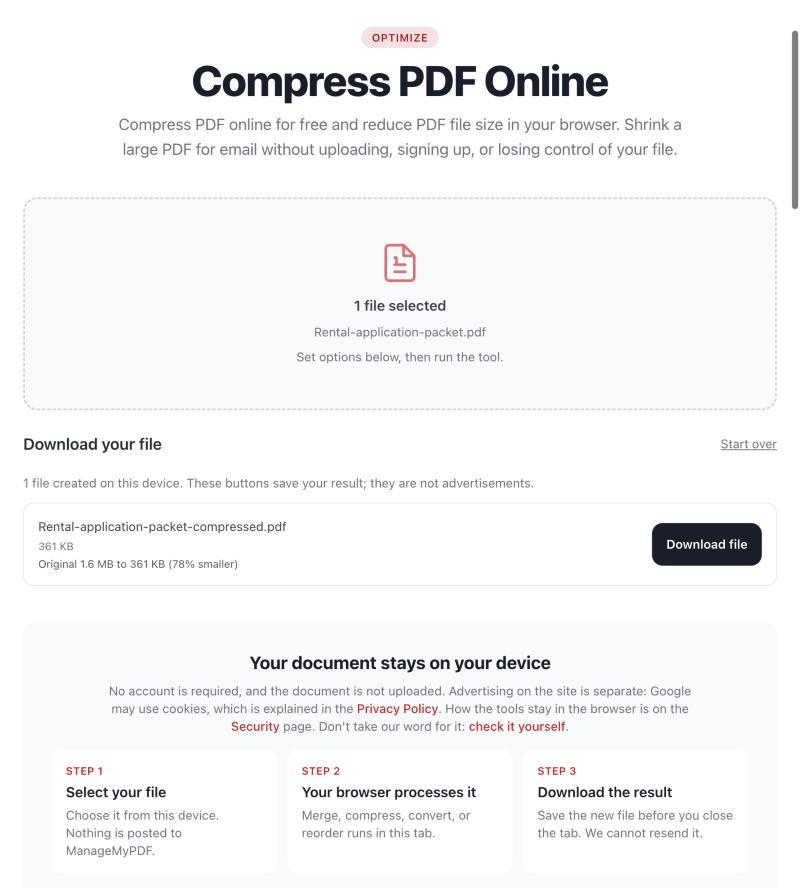
Before you send it
Open the final file and check the page count, the order, and that each page is readable, especially figures and signatures on scanned pages. Keep the original files in case the landlord asks for them separately.
This is general information about combining files, not legal advice. Ask the landlord or agent what they need if you are unsure.
How to put a rental application packet into one PDF FAQ
Does compressing make my typed pages unreadable?
Medium and High redraw every page as an image, so text on those pages is no longer selectable, including typed pages. They still look the same on screen. If you want the typed pages to stay as real text, compress just the scanned file first and merge afterwards.
Is this legal advice?
No. This is general information about combining files. What documents you must provide, and in what form, depends on the landlord, the agent, and where you live. Check their instructions.
Should I put sensitive documents on an upload-based site?
Payslips and ID copies are the kind of file worth keeping off sites that upload your document. ManageMyPDF processes the file in your browser. Our guide on checking this shows how to confirm it yourself.
Related PDF tools
Related guides
How to combine PDFs for a job or school packet
A working order for cover letters, forms, and certificates: fix page order, merge the files, then compress if the packet is too large to send.
How to shrink a PDF so you can email it
Practical steps to make a PDF smaller for email using ManageMyPDF: what Low, Medium, and High actually change, and when compression barely helps.
Is it safe to merge or compress a PDF online?
What actually happens to a document when you use an online PDF tool, the real risks of upload-based sites, and how to decide what is safe for your own files.
More write-ups are in the PDF guides.